- Free
- Works offline
- On-device AI
Yacht snag list & boat inspection app with AI
Log every defect with photos, mark it up, let on-device AI write the description and hand over a branded PDF report before you leave the dock. Built for marine surveyors, yacht captains, crew and shipyards.
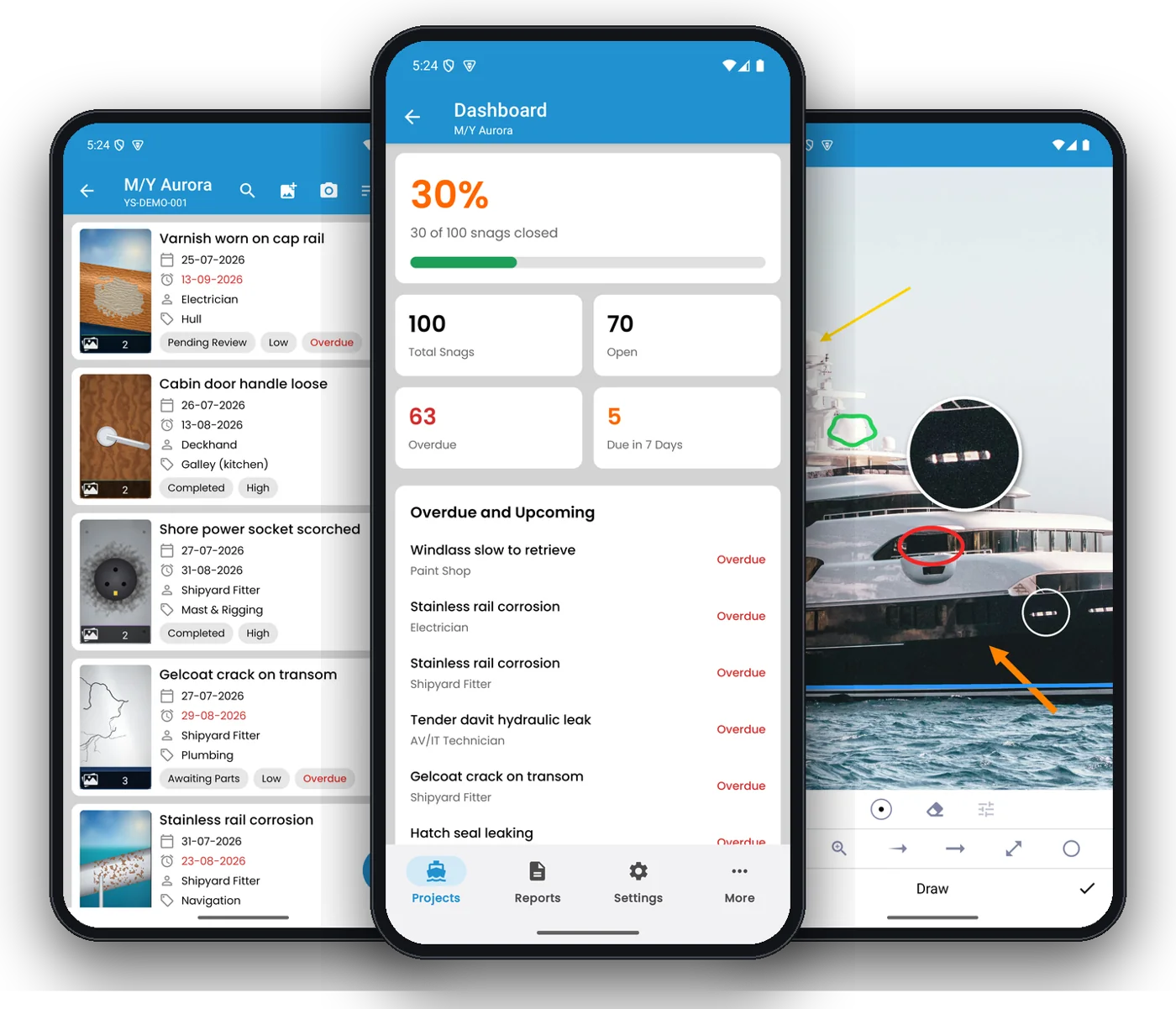
The snag list app built for life on the water
YachtSnags is a free yacht and boat inspection app that lets surveyors, captains and shipyards log snags with photos, mark them up, write them with on-device AI and share branded PDF reports — offline, on Android and iOS.
A snag list (also called a punch list or defect list) records everything on a vessel that is broken, unfinished or not up to standard, so it can be assigned, fixed and signed off. On most yachts that list still lives on paper, in a spreadsheet or in a WhatsApp group full of photos nobody can find later.
YachtSnags puts the whole process on your phone or tablet. Walk the boat, take a photo, circle the problem, choose the deck and the trade, and move on. Back on the dock — or still at anchor with no signal — tap once to create a professional PDF report with a summary dashboard, charts and every photo beside its snag. Captains use it for daily defect logs, surveyors for pre-purchase and condition surveys, and shipyards for new-build snagging and refit punch lists.
Snag & punch lists
Create a project per vessel or job and log snags with location, trade, priority, due date and status.
Photo-backed defects
Up to 10 photos per snag from the camera or gallery, kept next to the right item.
Photo mark-up
Circle, arrow, line, freehand pen, text and zoom loupe show exactly where the problem is.
On-device AI
Describe a snag from its photo, clean up notes, summarise and translate reports — privately.
PDF & Excel reports
Branded reports with your logo, summary charts, photos and signatures, shared in one tap.
Deck plans
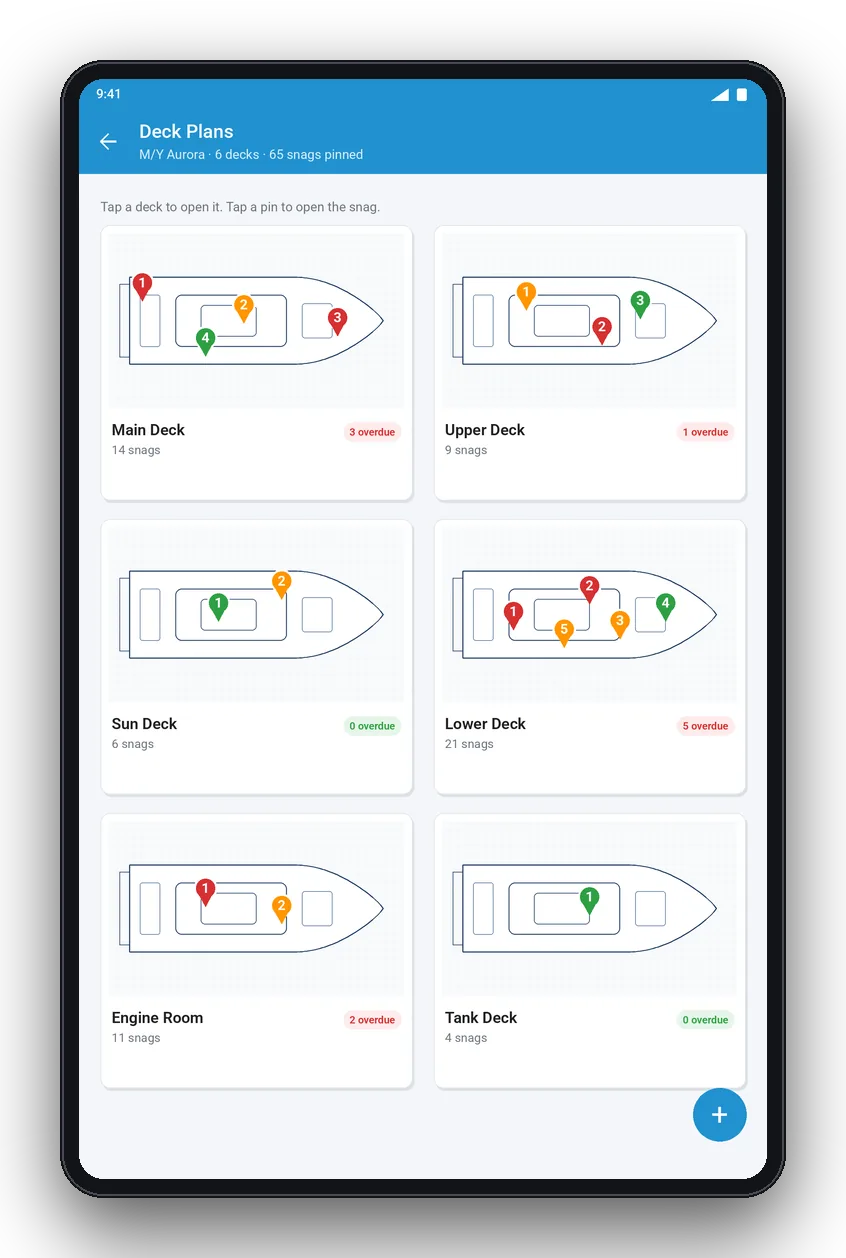
Pin every snag on the general arrangement so contractors find it without a guide.
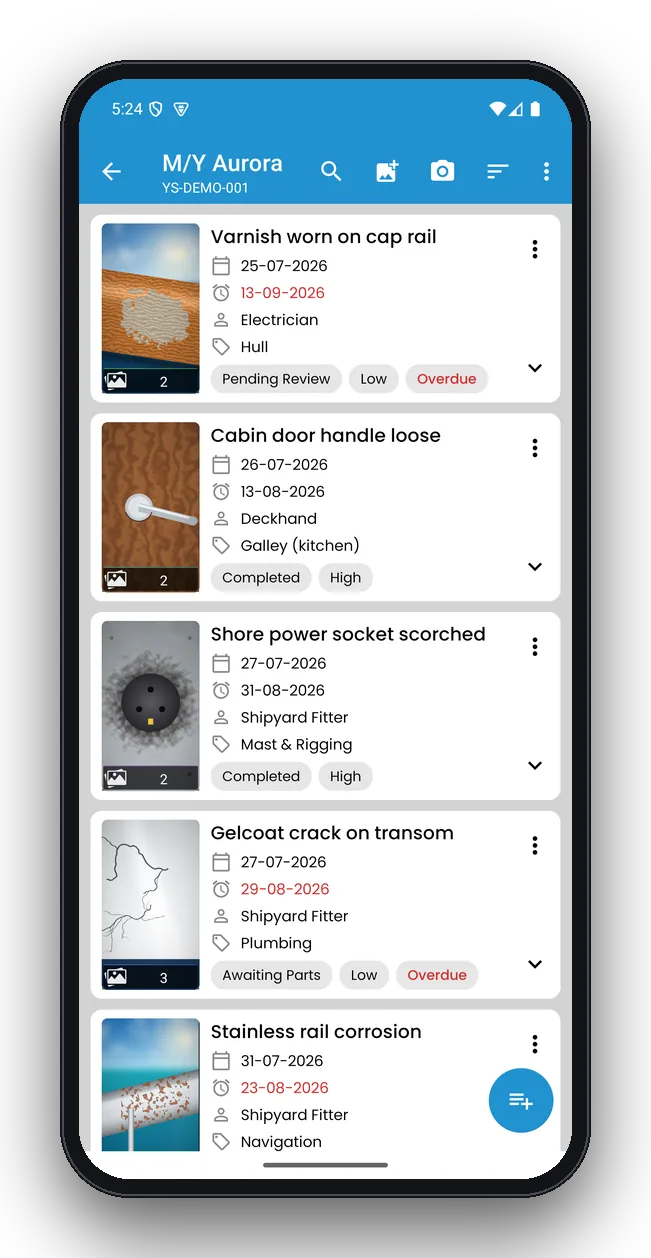
Every defect, organised and trackable
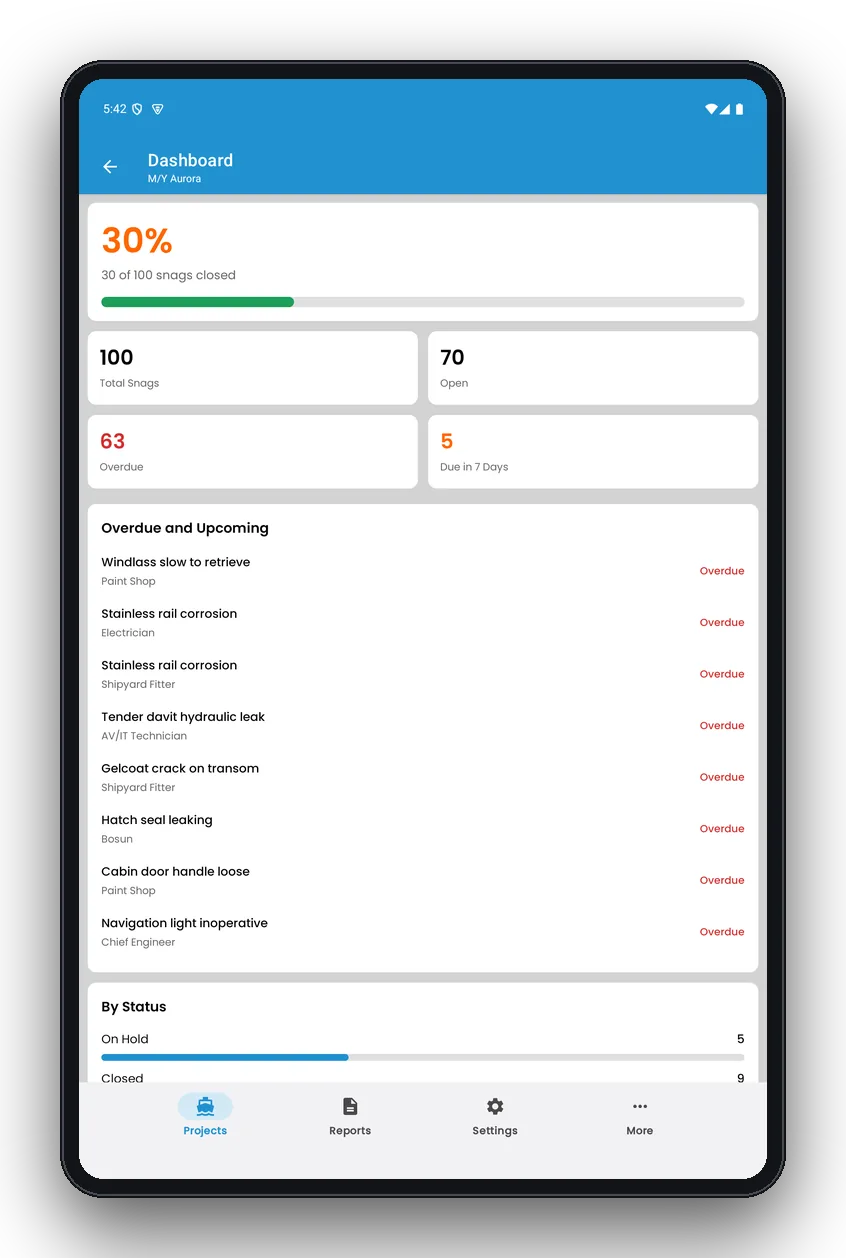
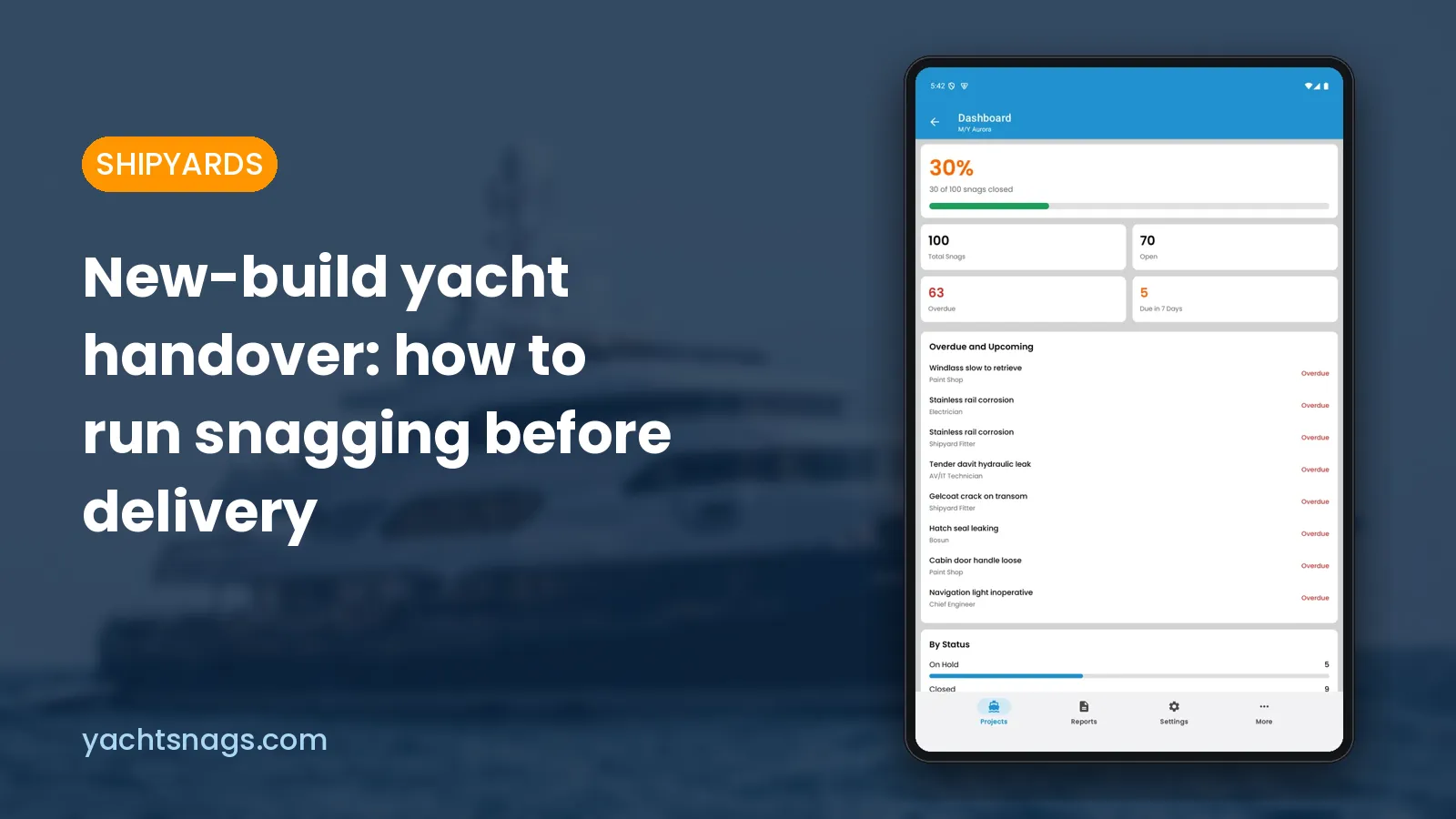
See all open items at a glance with photos, location, trade, due date and status. Sort and filter by priority, overdue items or responsible contractor, so every morning meeting starts with the right list.
- Statuses from open to in progress to signed off
- Priorities, trades and locations you can rename
- Overdue and due-soon items highlighted in red
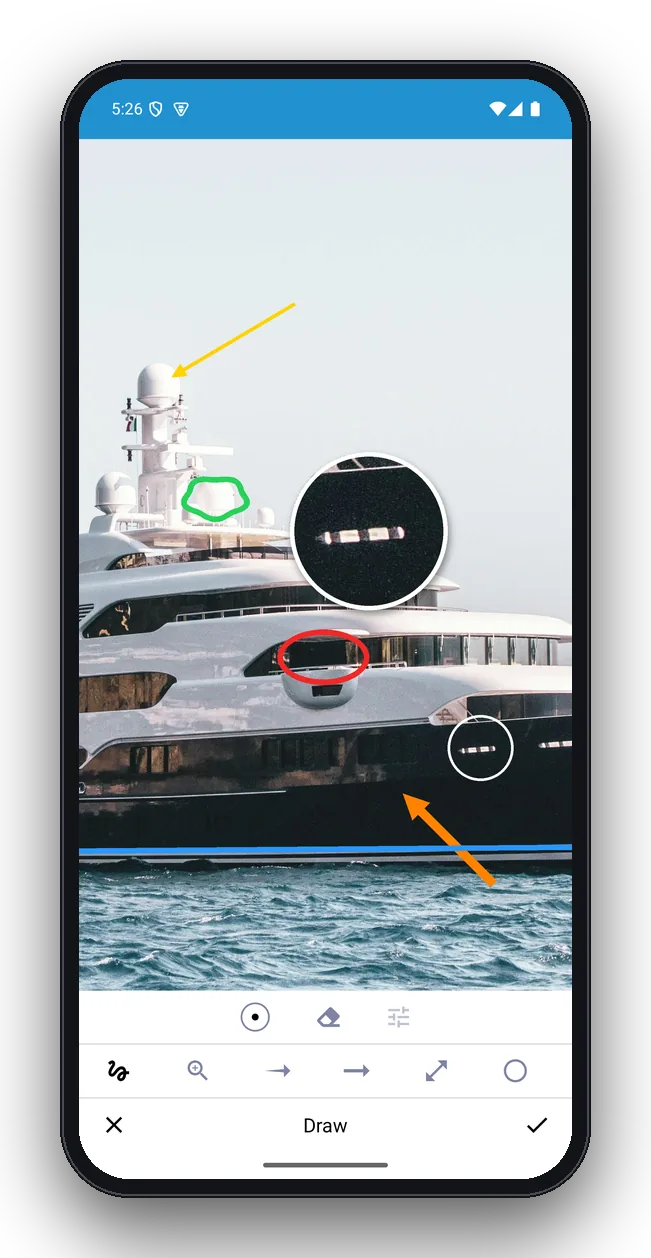
Show exactly where the problem is
Draw on any snag photo with the same tools surveyors use on paper — but neater, and attached to the right item. The original photo is always kept, so you can redo the mark-up at any time.
- Circle, arrows, line and freehand pen
- Text labels and a zoom loupe for small details
- Colours and line widths for clear reports
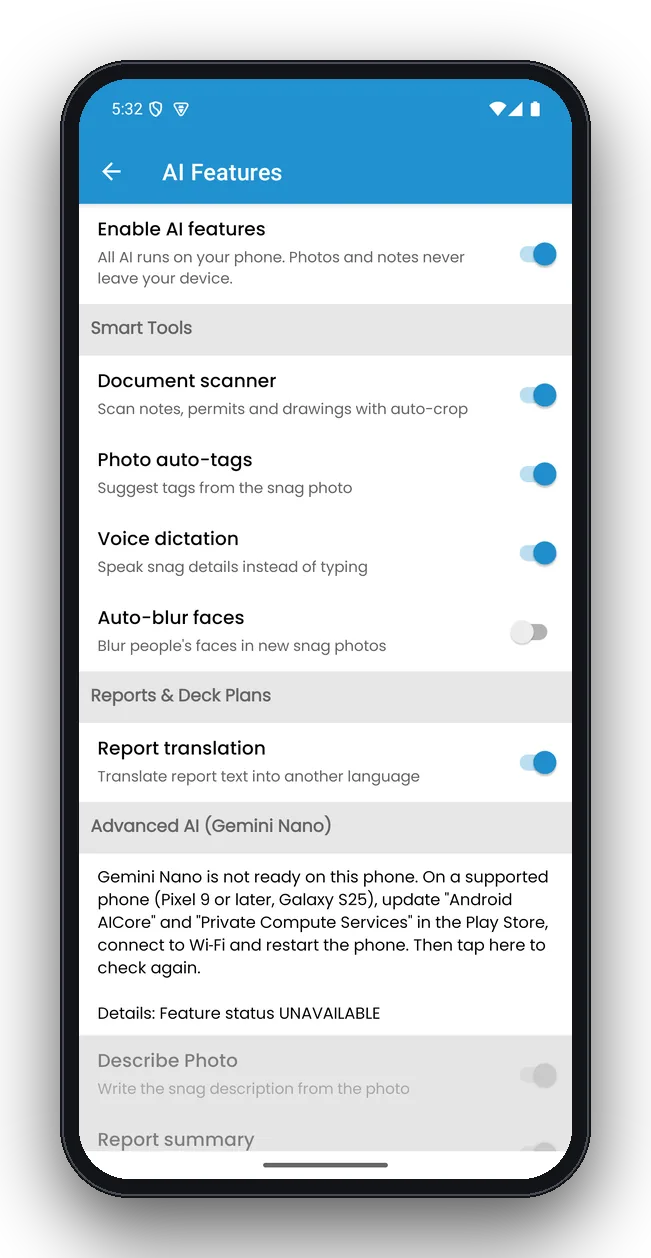
AI that works at sea — and stays private
Dictate notes hands-free, scan paperwork and, on supported phones, let Gemini Nano write the snag description straight from the photo. Everything runs on the device, so it works offline and nothing is uploaded.
- Describe photo, clean up notes, AI report summary
- Voice dictation, document scanner, photo auto-tags
- Face blur and deck-plan compartment detection
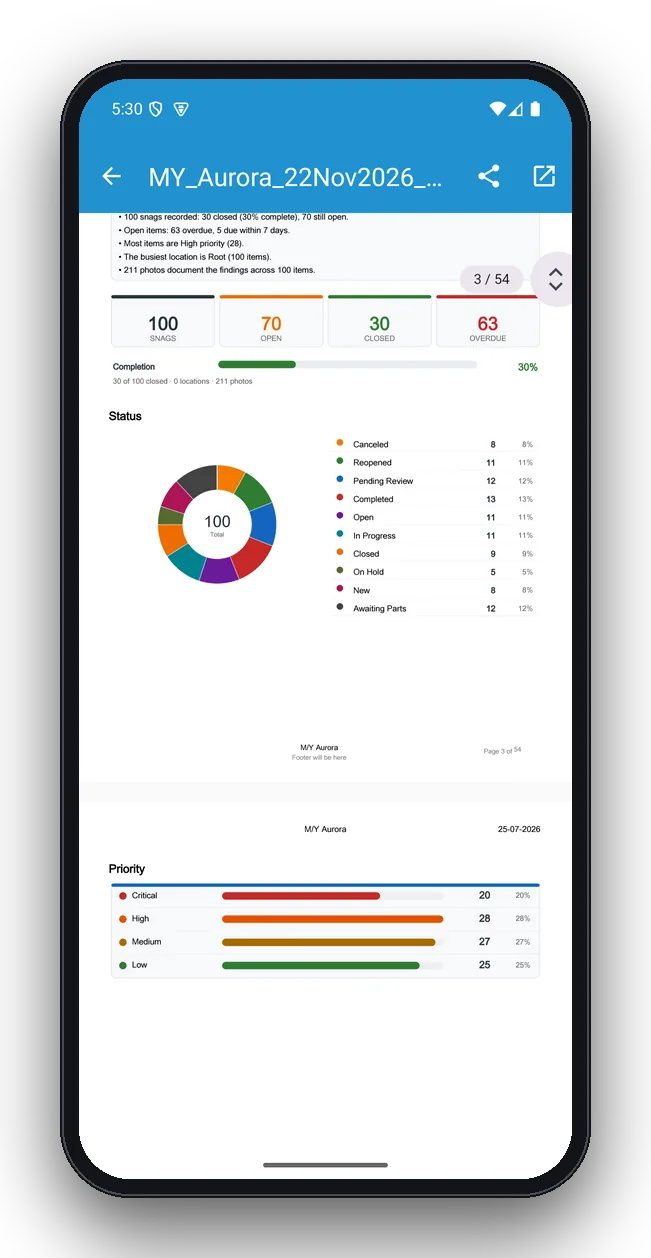
Professional PDF reports with charts
Generate a branded PDF with key findings, totals, a completion bar and charts by status and priority, followed by every snag with its photos and comments. Need a spreadsheet for the yard? Export to Excel.
- Your logo, company and inspector details
- Charts by status, priority, trade and location
- Share by email, WhatsApp, Drive or any app
Watch the 3-minute tour
From creating a project to sharing the finished inspection report.

Made for the walk-round and the handover meeting
Log snags one-handed on a phone during the walk-round, then review them on a tablet with the captain, owner or yard. Deck plans show every pinned snag by deck.
What you can do with YachtSnags
Whatever you call it on your boat or in your yard, YachtSnags handles it.
Yacht snag lists
The classic superyacht snag list for new builds, refits, yard periods and guest-ready checks — every snag with photos, location and owner.
Punch lists
A punch list for sea trials, handovers and warranty work, filtered by trade so each contractor sees only their items.
Boat inspections
Boat inspection checklists for motor yachts, sailboats, catamarans, RIBs and tenders, with a report at the end.
Marine surveys
Pre-purchase surveys, condition surveys and insurance surveys with photo-backed findings and recommendations.
Vessel inspections
Vessel inspection reports for workboats, charter fleets, commercial and support vessels, tracked deck by deck.
Defect logs & maintenance
A running defect log and boat maintenance log, so nothing found at sea is forgotten by the next yard period.
Built for people who live by their snag list
Marine surveyors
Pre-purchase and condition surveys with photo evidence and a report on site.
Captains & crew
Daily defect logs, guest-ready checks and yard-period lists the whole crew can follow.
Shipyards & refit yards
New-build snagging, sea-trial punch lists and handover sign-off.
Owners & buyers
Check a boat before purchase, after service or before charter season.
From walk-round to report in five steps
Create a project
One per vessel, survey or yard period.
Log snags
Photo, location, trade, priority and due date.
Mark up photos
Circle and arrow the exact spot.
Let AI help
Dictate or describe from the photo.
Share the report
Branded PDF or Excel in one tap.
Why surveyors and crews move from paper to YachtSnags
No more typing up notes at night
The report is built while you inspect. Finish the walk-round and the PDF is ready to send.
Photos that stay with the right snag
No hunting through a camera roll of 300 similar photos. Each photo lives inside its snag, marked up.
Everyone sees the same status
Open, in progress, ready for inspection, closed. Overdue items stand out, so nothing slips before delivery.
Works where the boat is
Engine rooms, anchorages and remote yards have no signal. YachtSnags never needs one.
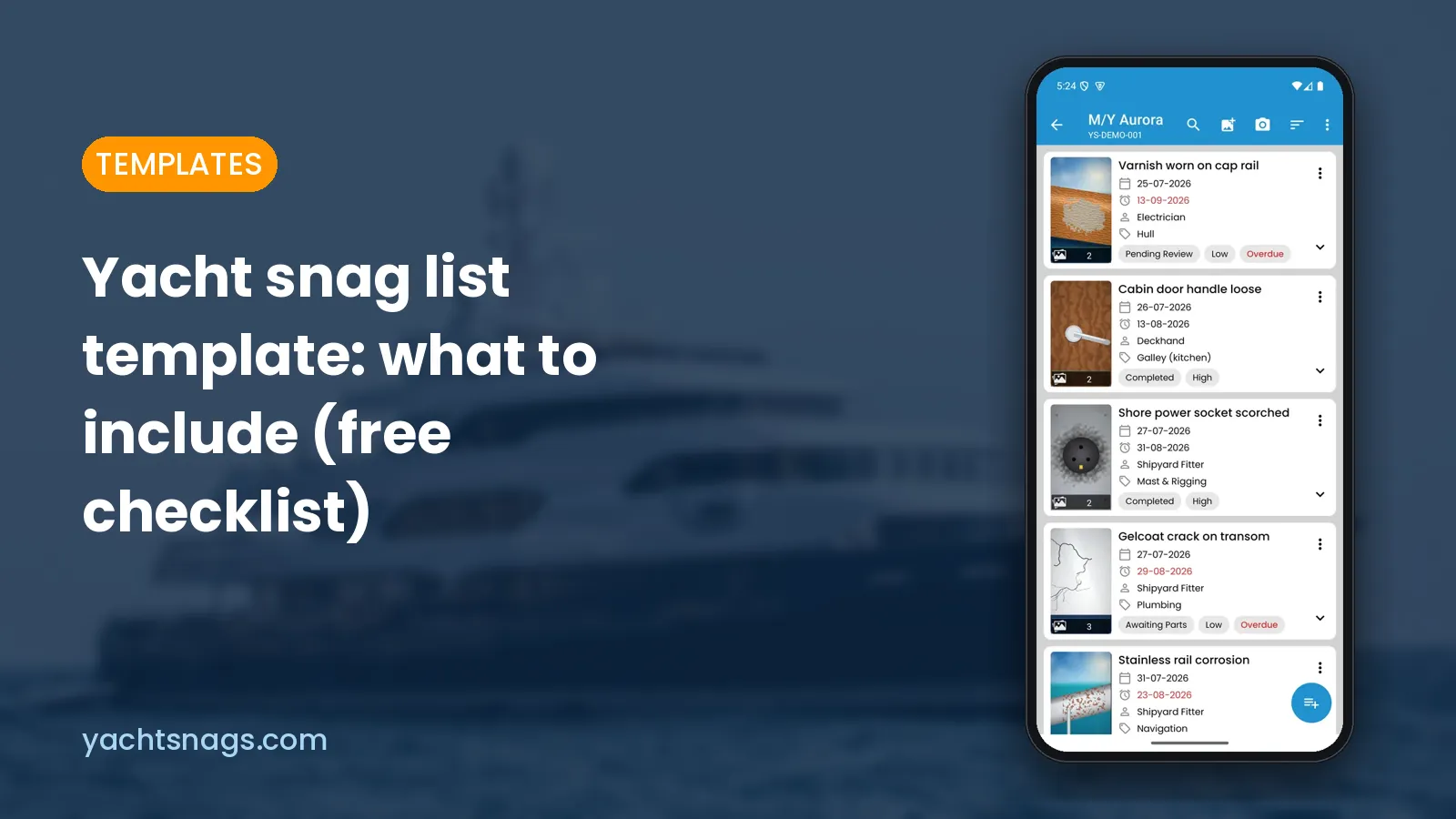
Free checklists for yacht and boat inspections
Practical, no-fluff guides written for surveyors, captains and yard managers.
Common questions
What is YachtSnags?
YachtSnags is a free yacht and boat inspection app that lets surveyors, captains and shipyards log snags with photos, mark them up, write them with on-device AI and share branded PDF reports — offline, on Android and iOS.
Is YachtSnags free?
Yes. YachtSnags is free to download on Google Play and the App Store, and you can run a full inspection and export a report without paying. Some advanced options are available as an optional in-app upgrade.
Does YachtSnags work offline at sea?
Yes. Everything you create — projects, snags, photos, mark-ups and reports — is stored on your phone or tablet, so the app works at anchor, offshore or deep inside an engine room with no signal.
Which devices does it run on?
Android phones and tablets, iPhone and iPad. The tablet layout shows the list and the details side by side, which is ideal for walk-rounds and handover meetings.
Can I add photos to each snag?
Yes. Add up to 10 photos per snag from the camera or gallery, then mark them up with arrows, circles, lines, freehand pen, text and a zoom loupe so the trade sees exactly where the problem is.
What does the AI do?
On supported phones, on-device AI can write a snag description from a photo, clean up spelling and grammar, add a summary to the start of a report and translate report text. Voice dictation, a document scanner, photo auto-tags, face blurring and deck-plan reading are also built in.
Do my photos go to the cloud for AI?
No. YachtSnags runs its AI on your device using Gemini Nano and on-device tools. Photos and notes are not uploaded for AI processing.
Which phones support the advanced AI features?
Advanced AI uses Gemini Nano, which is available on recent flagship Android phones such as Pixel 9 or later and Galaxy S25. The rest of the app, including voice dictation and the document scanner, works on all supported devices.
Start your next inspection in minutes
Free to download on Android and iOS. Works offline on phones and tablets.